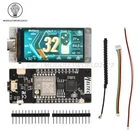
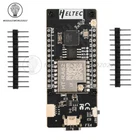
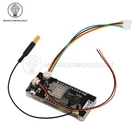
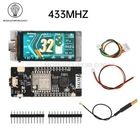
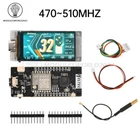
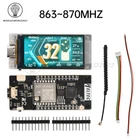
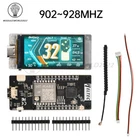
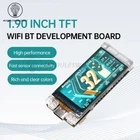
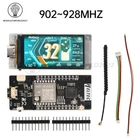
1.9Inch TFT ESP32-S3R8 LoRaWAN WIFI Bluetooth Development Board HT-VMT190 Module
$ 12.14
Description
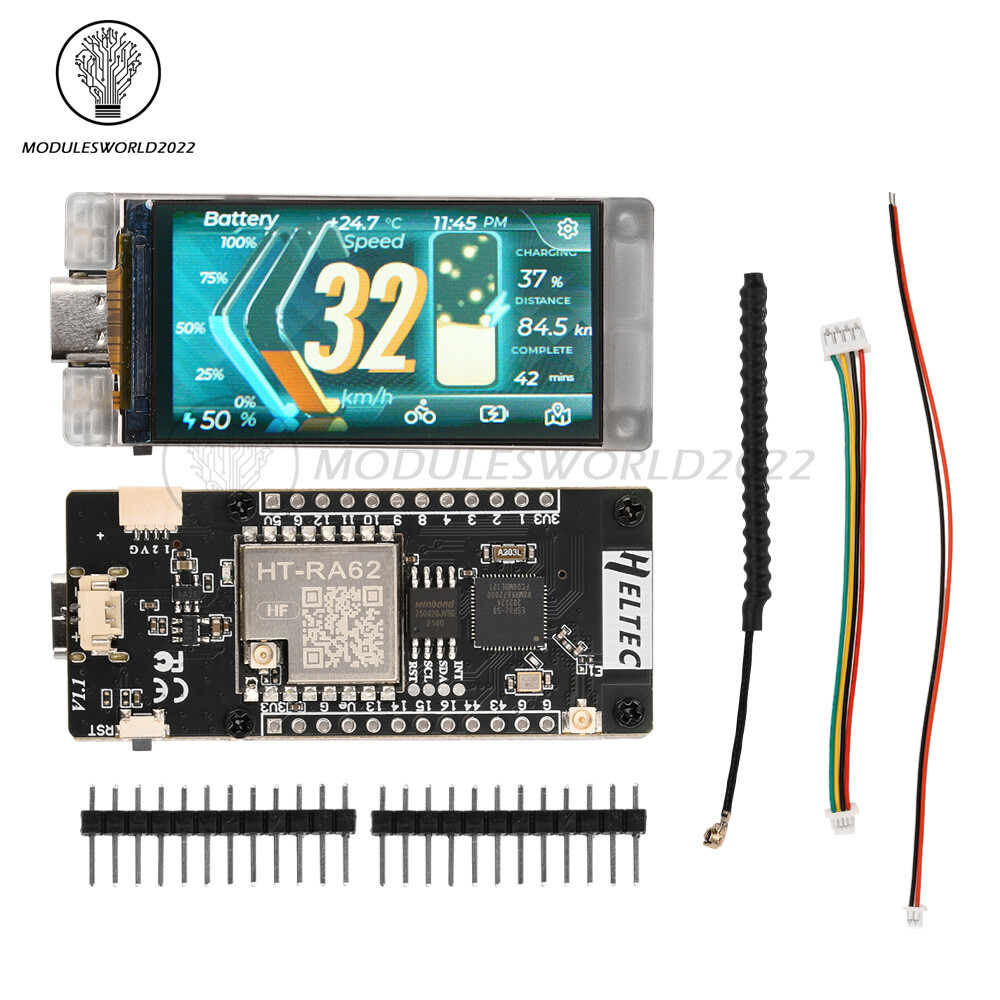
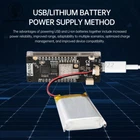
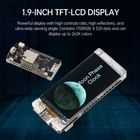
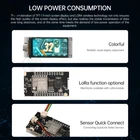
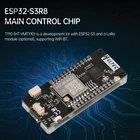
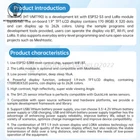
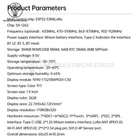
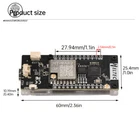
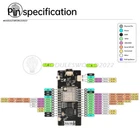
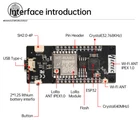
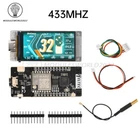
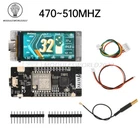
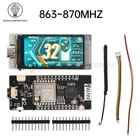
Store Categories Store Categories Other Product View Details Overview The T190 (HT-VMT190) is a development kit with ESP32-S3 and LoRa modules. The on-board 1.9” TFT-LCD display contains 170 (RGB) X 320 dots and can display up to 262k colors. Using the sample programs and development tools provided, users can operate the display via Bluetooth, Wi-Fi and LoRa. It also supports everyday entry-level programming and runs open-source projects such as Meshtastic. Features 1. Adopts ESP32-S3R8 main controller chip and supports WiFi Bluetooth. 2. LoRa module is optional and compatible with Mashtastic. 3. Low power consumption, deep sleep 18uA. 4.Powerful display with onboard 1.9-inch TFT-LCD display containing 170(RGB) X 320 dots and up to 262K colors. 5. High contrast, high reflectivity, ultra-wide viewing angle. 6.SH1.25 sensor interface is perfectly compatible with QuickLink series sensors. 7. Compatible with open source hardware and software platforms, we provide a sample development framework and libraries. 8. Support USB / lithium battery power supply mode, you can choose the battery 3.3 ~ 4.2V lithium battery power supply or USB charging, USB and lithium battery power supply together has the advantage of enhancing the reliability of power supply, improve endurance, adapt to a variety of scenarios, optimize the charging management and improve the compatibility of the device. 9. The combination of TFT-1.9 inch screen display and LORA wireless technology not only ensures the high quality of the screen display effect, but also realizes the long-distance stable transmission of data, and at the same time, it can also meet the demand of low-power operation of the equipment. Specification Main control chip: ESP32-S3R8 LoRa Chip: SX-1262 Frequency (optional): 433MHz, 470~510MHz, 863~870MHz, 902~928MHz Power supply interface: Li-ion battery interface; Type-C interface Bluetooth LE: Bluetooth 5,Bluetooth mesh Storage: 384KB ROM 512KB SRAM. 16KB RTC SRAM. 8MB SiPFlash Supply Voltage: 3-5V Storage temperature: -30~70℃ Operating Temperature: -20~60°C Optimum storage humidity: 0-65% Display Module: N190-1732TBWPG01-C30 Screen Type: Color TFT Screen Size: 1.9 Inch Display Color: 262K Display Area: 22.7(H)x42.72(V)mm² Display Resolution: 170RGBx320 Hardware resources: 7*ADC1 +6*ADC2;11*Touch; 3*UART; 2*I2C;2*SPI. Interface: Type-C USB; 2*1.25 Li-ion battery interface; LoRa ANT (IPEX1.0); Wi-Fi ANT (IPEX1.0); 2*12*2.54 plug pins; SH1.0-4P sensor interface. Overall dimensions: 60x25.4x10.2mm List 1 x Development Board 2 x Pin Array 2 x Terminal Cables 1 x Antenna Frequently Asked Questions : 1. What is T190? T190 is an ESP32+LoRa development board with 1.9-inch TFT-LCD. 2. Can the on-board 2.4GHz antenna be replaced? The default configuration of the T190 board is a PCB antenna, and the 2.4GHz antenna is a spring antenna. There is an additional connector on the board for 2.4GHz wireless signals. When connecting an external antenna, the resistor needs to be rotated 90 degrees to the left. 3. What development methods does it support? (1)Ard--uino (2)Micro--Python (3)Platform--IO (4)Espressif--IDE We strongly recommend using Ard--uino. we have full technical support and provide complete LoRa WAN code for the ESP32 Ard--uino framework. 4. What is the type of battery socket? You can find this type of socket by searching “SH1.25 x 2”. 5. Can't find the serial port? (1)Please re-insert the USB cable or try to use another cable. (2)If you are using a USB adapter, please try to skip them and connect directly to the USB port on your PC. (3)Open Device Manager and select the port, if prompted, try installing the CP210X driver (4)Try another computer or other system 6. Serial port does not exist? (1) Open Device Manager and check if you can find the device port. If not, please refer to the previous topic “I can't find the serial port”. (2) Please check if your serial port is open somewhere else. (3)Enter BootLoader mode to upload, there are two ways to enter this mode: (4)Connect the USB cable, press and hold the User (or ORG or Boot) key, press RST once, then release the User (or ORS or Boot) key. (5) Press and hold the User (or ORG or Boot) key, then connect the USB cable. 7. What are the specifications of the sensor connection cable? This is a 10cm sensor adapter cable with specifications ranging from SH 1.0-4P to PH 2.0-4P. It is used to connect the development board to the sensor. sh 1.0-4P port is used to connect the interface of the development board, while ph 2.0-4P port is used to connect the sensor interface. Shipping Policy Payment Method Returns Policy Shipping Policy Payment Method Returns Policy Home Payment Shipping About us Contact us Copyright©2018 datacaciques Home Payment Shipping About us Contact us Store Categories Store Categories Other Product View Details Overview The T190 (HT-VMT190) is a development kit with ESP32-S3 and LoRa modules. The on-board 1.9” TFT-LCD display contains 170 (RGB) X 320 dots and can display up to 262k colors. Using the sample programs and development tools provided, users can operate the display via Bluetooth, Wi-Fi and LoRa. It also supports everyday entry-level programming and runs open-source projects such as Meshtastic. Features 1. Adopts ESP32-S3R8 main controller chip and supports WiFi Bluetooth. 2. LoRa module is optional and compatible with Mashtastic. 3. Low power consumption, deep sleep 18uA. 4.Powerful display with onboard 1.9-inch TFT-LCD display containing 170(RGB) X 320 dots and up to 262K colors. 5. High contrast, high reflectivity, ultra-wide viewing angle. 6.SH1.25 sensor interface is perfectly compatible with QuickLink series sensors. 7. Compatible with open source hardware and software platforms, we provide a sample development framework and libraries. 8. Support USB / lithium battery power supply mode, you can choose the battery 3.3 ~ 4.2V lithium battery power supply or USB charging, USB and lithium battery power supply together has the advantage of enhancing the reliability of power supply, improve endurance, adapt to a variety of scenarios, optimize the charging management and improve the compatibility of the device. 9. The combination of TFT-1.9 inch screen display and LORA wireless technology not only ensures the high quality of the screen display effect, but also realizes the long-distance stable transmission of data, and at the same time, it can also meet the demand of low-power operation of the equipment. Specification Main control chip: ESP32-S3R8 LoRa Chip: SX-1262 Frequency (optional): 433MHz, 470~510MHz, 863~870MHz, 902~928MHz Power supply interface: Li-ion battery interface; Type-C interface Bluetooth LE: Bluetooth 5,Bluetooth mesh Storage: 384KB ROM 512KB SRAM. 16KB RTC SRAM. 8MB SiPFlash Supply Voltage: 3-5V Storage temperature: -30~70℃ Operating Temperature: -20~60°C Optimum storage humidity: 0-65% Display Module: N190-1732TBWPG01-C30 Screen Type: Color TFT Screen Size: 1.9 Inch Display Color: 262K Display Area: 22.7(H)x42.72(V)mm² Display Resolution: 170RGBx320 Hardware resources: 7*ADC1 +6*ADC2;11*Touch; 3*UART; 2*I2C;2*SPI. Interface: Type-C USB; 2*1.25 Li-ion battery interface; LoRa ANT (IPEX1.0); Wi-Fi ANT (IPEX1.0); 2*12*2.54 plug pins; SH1.0-4P sensor interface. Overall dimensions: 60x25.4x10.2mm List 1 x Development Board 2 x Pin Array 2 x Terminal Cables 1 x Antenna Frequently Asked Questions : 1. What is T190? T190 is an ESP32+LoRa development board with 1.9-inch TFT-LCD. 2. Can the on-board 2.4GHz antenna be replaced? The default configuration of the T190 board is a PCB antenna, and the 2.4GHz antenna is a spring antenna. There is an additional connector on the board for 2.4GHz wireless signals. When connecting an external antenna, the resistor needs to be rotated 90 degrees to the left. 3. What development methods does it support? (1)Ard--uino (2)Micro--Python (3)Platform--IO (4)Espressif--IDE We strongly recommend using Ard--uino. we have full technical support and provide complete LoRa WAN code for the ESP32 Ard--uino framework. 4. What is the type of battery socket? You can find this type of socket by searching “SH1.25 x 2”. 5. Can't find the serial port? (1)Please re-insert the USB cable or try to use another cable. (2)If you are using a USB adapter, please try to skip them and connect directly to the USB port on your PC. (3)Open Device Manager and select the port, if prompted, try installing the CP210X driver (4)Try another computer or other system 6. Serial port does not exist? (1) Open Device Manager and check if you can find the device port. If not, please refer to the previous topic “I can't find the serial port”. (2) Please check if your serial port is open somewhere else. (3)Enter BootLoader mode to upload, there are two ways to enter this mode: (4)Connect the USB cable, press and hold the User (or ORG or Boot) key, press RST once, then release the User (or ORS or Boot) key. (5) Press and hold the User (or ORG or Boot) key, then connect the USB cable. 7. What are the specifications of the sensor connection cable? This is a 10cm sensor adapter cable with specifications ranging from SH 1.0-4P to PH 2.0-4P. It is used to connect the development board to the sensor. sh 1.0-4P port is used to connect the interface of the development board, while ph 2.0-4P port is used to connect the sensor interface. Shipping Policy Payment Method Returns Policy Shipping Policy We will arrange shipping for you within 24 Hours after payment cleared except the holidays. -We ship items to Worldwide. Thank you! -we will ship out the order in 1-2 business days after payment cleared .Since it is international shipping ,delivery time is about 15--28 business days to arrive to most countries. Payment Method We accept PayPal payment ONLY, and must be received within 5 days from the date of purchase. 2. It is easy and safe for you to pay by credit cards, debit cards, bank transfers and PayPal account balances. 3.Buyers are responsible for import duties,custom fees and taxes, if any, please check your country. Returns Policy 1.We believe our items are so outstanding. We are convinced you will be happy with your Purchase. 2. If you do not satisfy with our items. Please simply return to us within 30 Days in original condition. Just pay for the returned postage. Then we can issue full refund or resend the item to you after the returned item arrived at our warehouse. 3. Please include your eBay ID and item number with any email requests.